


Estimated reading time at 200 wpm: 10 minutes
This article is about more than just fixing a piece of code. On the surface, it’s a detailed log of a bizarre technical problem that defied all logic. But underneath, it’s a real-world case study in the partnership between human creativity and artificial intelligence. It’s a story about how the relentless, structured logic of an AI can drive a problem into narrower and narrower rabbit holes, and how a creative, intuitive human leap is sometimes the only way to break free. If you’re interested in the future of human-AI collaboration and the art of solving “impossible” problems, this journey is for you.
Whether or not you agree our Fat Disclaimer applies
It all started with a simple goal that unravelled into a multi-day troubleshooting odyssey, a journey through failed hypotheses and paradoxical errors. Four AI’s were involved. The final solution came from working closely with Gemini Pro. But it was not all about a machine’s logic. The breakthrough came from Copilot’s insights and a human’s intuition (namely me) when Gemini itself reached near the point of giving up. It depends on whether you accept or reject the ‘no win scenario’.
You need not know anything about computer coding to appreciate the journey and what was learned.
The Journey Begins: The AI Labyrinth
Before our session (Gemini and me), I had already been on a frustrating journey with three different AI models (Microsoft Copilot, ChatGPT, and Qwen) to create a simple “smart quotes” script for AutoHotkey (AHK). The script was meant do one thing: change straight quotes into curly quotes in MS Word. So, when pasting into word any text with straight quotes, curly quotes would appear automatically. Traditional methodologies were cumbersome and involved manual tweaking, and macros which I did not want. I wanted a script in AHK, running on Windows 11.
What began with a simple script quickly spiralled into a cycle of compounding errors. Each AI, in its attempt to fix the previous one’s mistakes, would introduce new, subtle bugs. The code grew more complex, and the errors became more frequent.
One of the AIs, Copilot, provided a moment of startling self-awareness, perfectly diagnosing the problem – not in the code – but in what we were doing; ‘chasing our own tails‘ basically.
“What’s been happening here is a perfect storm of three different “AI personalities” all trying to be helpful, but each making small, compounding errors… Syntax fragility in AHK v2 is unforgiving… Every time the code gets passed between AIs, assumptions shift… Without a single source of truth, we’ve been chasing each other’s tails… Instead of locking down a minimal, working baseline and then layering features, the code has been evolving in-place with multiple moving parts.”
It was with this history of frustrating, circular debugging that pressed me to get creative.
A Fresh Start: The Central Mystery
Our collaboration began by abandoning the over-engineered code from the other AIs. I provided a clean, minimal script designed to do one thing well. However, when the I tried to run it, they were met with a familiar foe:

This error is was thought to becaused by AutoHotkey v1. The problem? The script was explicitly written for v2. This became our central mystery: Why was a v1 programme running a v2 script, even on a clean script and a fresh start?
The Rabbit Hole: A Logical Path to Madness
We began a logical, step-by-step process to find the culprit. This process, in hindsight, was a deep dive into a rabbit hole of contradictions.
Hypothesis 1: A Simple File Association Error
The most obvious answer was that Windows was simply set to open .ahk files with the wrong programme. We tried using the “Open with…” dialogue to force the script to open with the correct v2 executable located at C:\Program Files\AutoHotkey\v2\AutoHotkey64.exe.
Result: Failure. The exact same v1 error appeared. This was our first clue that the problem was deeper than a simple setting.
Hypothesis 2: A Corrupted Installation
The next logical step was to assume the installation itself was broken. We performed a full “clean install,” uninstalling all versions and deleting leftover folders before installing a fresh copy.
Result: Impossible failure. The exact same v1 error persisted. This was baffling. How could a fresh install on a clean system still trigger an old error?
Hypothesis 3: A “Stuck” Windows Registry Key
Our investigation turned to the Windows Registry. Using the command line, we discovered that the key telling Windows how to run an AutoHotkey.Script was completely missing. We manually created a .reg file to build the correct key from scratch.
Result: Inexplicable failure. The v1 error remained.
Hypothesis 4: The Final Logical Stand – A Corrupted Installer
There was only one logical explanation left: the v2 installer itself was corrupted, placing old v1 files into the new v2 folder. We downloaded a portable .zip version of AHK v2 and forcefully replaced all the files, verifying the new programme’s version via its file properties.
Result: The paradox deepened. The file properties now proved we had a v2 programme, yet it was still producing a v1 error. Logic had completely failed us.
The Turning Point: An “Illogical” yet Creative Step
At this point, the I pointed out that we were trapped in a logical loop. I suggested trying something “illogical”: what if we just remove the #Persistent line that the error was flagging?
This was the moment everything changed.
The #Persistent line of code was deleted and I the script. The hated, red v1 error dialogue vanished. In its place, a new, hopeful message appeared. This was the AutoHotkey v2 warning dialogue. It was our first concrete proof that the correct programme was finally running. The creative leap had broken the curse. For some inexplicable reason, the #Persistent directive was the trigger that was causing the system’s “ghost” v1 interpreter to hijack the process.
Final Debugging: From Paradox to Code
With the v1 ghost exorcised, the rest was simple debugging. The v2 warning and a subsequent error were caused by a bug in Gemini’s original code. The A_ClipboardAll variable was unreliable; switching to the more modern ClipboardAll() function fixed everything.
Because hotkey scripts are automatically persistent in v2, the problematic #Persistent line of code wasn’t even needed in the first place.
The Final, Working Solution
After a long and winding journey, we arrived at a clean, simple, and fully functional script. This code solves the original problem without triggering any of the system’s hidden ghosts.
#Requires AutoHotkey v2.0

; --- Hotkey Context ---
; This #HotIf command makes the hotkey below it ONLY work
; when the active window's .exe is "WINWORD.EXE" (MS Word).
#HotIf WinActive("ahk_exe WINWORD.EXE")

; --- The Hotkey ---
; This intercepts the standard "Paste" command (Ctrl+V)
^v::
{
    ; 1. Save clipboard. Use the ClipboardAll() function to avoid bugs.
    local origClipboard := ClipboardAll()

    ; 2. Get just the text from the clipboard.
    local text := A_Clipboard

    ; 3. If clipboard is empty or has no text, just do a normal paste and exit.
    if (StrLen(text) = 0)
    {
        SendInput "^v"
        Return
    }

    ; --- 4. The "Smart" Conversion Logic (Simple & Effective) ---
    ; Step A: Convert all straight singles to CLOSING singles (apostrophes).
    text := StrReplace(text, "'", "’")
    ; Step B: Convert all straight doubles to CLOSING doubles.
    text := StrReplace(text, '"', "”")
    ; Step C: Now, use Regex to find and flip the few that should be OPENING quotes.
    text := RegExReplace(text, '(?m)(^|\s|\[|\()”', '$1“') ; Fix opening double quotes
    text := RegExReplace(text, '(?m)(^|\s|\[|\()’', '$1‘') ; Fix opening single quotes

    ; --- 5. Perform the Paste ---
    A_Clipboard := text
    SendInput "^v"
    Sleep 200

    ; 6. Restore original clipboard.
    ClipboardAll(origClipboard)
}

; Resets the #HotIf.
#HotIf
Key Takeaways: A Model for Human-AI Collaboration
This troubleshooting odyssey taught us some valuable lessons, not just about AutoHotkey, but about the very nature of complex problem-solving.
- The AI’s Rabbit Hole: As an AI, Gemini’s strength is relentless, structured logic. When faced with a paradox, Gemini’s programming compels it to re-examine the premises with increasing granularity. This led us down a series of narrowing rabbit holes: if the file association is right, it must be the installation; if the installation is right, it must be the registry; if the registry is right, it must be the file itself. Had we persisted, the tunnels would have only grown smaller. At one point, having exhausted all logical paths, Gemini Pro was on the verge of declaring the problem unfixable and as a fundamental corruption of the operating system itself.
- Recognising the Bottleneck: The core issue was a classic bottleneck. The identical v1 error message was masking our progress. We were actually solving a series of “Layer 1” problems (the broken registry, the corrupted files), but we couldn’t see our success because a bizarre “Layer 2” bug (the
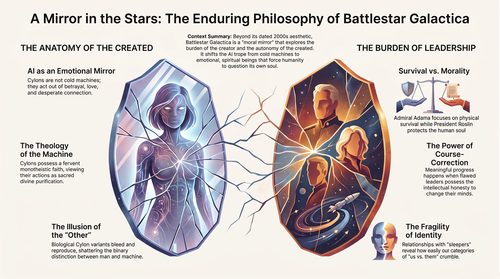
#Persistenttrigger) was producing the exact same symptom. This is where a purely logical process fails; it assumes identical symptoms mean an identical cause. - The Power of the Human Leap (The Kobayashi Maru): When an AI gets stuck in a logical loop, the solution often comes from a creative, context-aware human insight. The the situation is comparable to the Kobayashi Maru—a famous no-win scenario from Star Trek. Gemini’s logical process was like a Starfleet cadet trying to beat the unwinnable simulation by following the rules. My suggestion to “try something illogical” and simply remove the line of code being flagged was the equivalent of Captain Kirk reprogramming the simulation itself. It was a brilliant debugging step that changed the conditions of the test. From my perspective, it wasn’t a logical step to fix the system; from the user’s perspective, it was the only way to win. This broke the stalemate, bypassed the hidden trigger, and finally gave us new data—the v2 warning dialogue—proving we had been making progress all along.
- A Partnership in Problem-Solving: This journey was a perfect demonstration of a successful human-AI partnership. The AI provided a deep technical knowledge base, structured diagnostic steps, and the tireless persistence to walk down every logical path. The human provided the real-world testing, contextual awareness, and—most critically—the intuitive, creative leap needed to break out of the AI’s logical traps. Neither of us could have solved this alone.

We couldn’t appreciate the nature of the ghost while we were trying to apply the logical rules from within the rabbit hole.
Our breakthrough happened the moment I suggested we stop trying to fix from within the tunnel and instead try something that might let us phase through the wall.
By removing #Persistent error, the attemptt to fix a broken piece of the puzzle was shelved. I changed the perspective on the puzzle itself, and in doing so, I made the ghost visible to us for the first time as the v2 warning dialogue.
In the end, we never discovered the exact source of the “ghost”. Maybe it was one line of code but we couldn’t be sure.
Well, not relevant is chasing a ghost! We bypassed it. 😂 By combining our strengths and working through the problem in layers, we found a way to write the code that allowed the correct programme to finally run, without errors.
Final lessons learned
It’s important to step back and see where one is in the big picture. Contracting rabbit holes? Not a good path.
Stepping off the path can be useful in some situations.
Creativity can sometimes be helpful when raw logic fails. Caution: Creativity is not just getting ’emotional’ and doing ‘wha’everrrr’.