




Estimated reading time at 200 wpm: 8 minutes
So far, over the last few weeks I concentrated on long-form text-based use cases of my setup (OpenWebUI in Docker on W11) . This article marks a turning point because image generation—including video—via OWUI has been achieved. The cost of good quality images come down to less than $0.01/each. There is a lesson in all this after all the technical stuff. It’s in the conclusion.
Whether or not you agree our Fat Disclaimer applies
Integrating image generation capabilities directly into a local OpenWebUI environment via OpenRouter provides a streamlined alternative to standard commercial web interfaces. Consolidating multimodal API access through a single routing platform establishes strict cost control and structural cost-efficiency, eliminating the financial overhead of maintaining multiple disparate subscription models for visual tasks. But wait – ‘image’ is part of video. As some may know video is a sequence of images.
If you’re asking ‘Why would I want to do any of this?‘ – kindly move on now!
Despite the operational advantages of this setup, the deployment methodology remains obscure. The obscurity of this pipeline is evidenced by recent interactions with frontier models such as Opus 5.5, which incorrectly asserted that image generation cannot be achieved directly through OpenRouter within OpenWebUI. Opus correctly identified the fundamental architectural conflict—specifically that OpenWebUI’s native image settings utilise the OpenAI protocol to call an /images/generations endpoint, which does not exist on OpenRouter and therefore triggers a 404 error. However, the model failed to recognize the function-based pipe routing solution, concluding instead that integration was entirely dependent on unconfirmed GitHub proposals for future native engine updates.
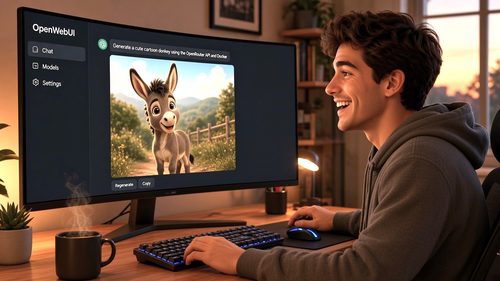
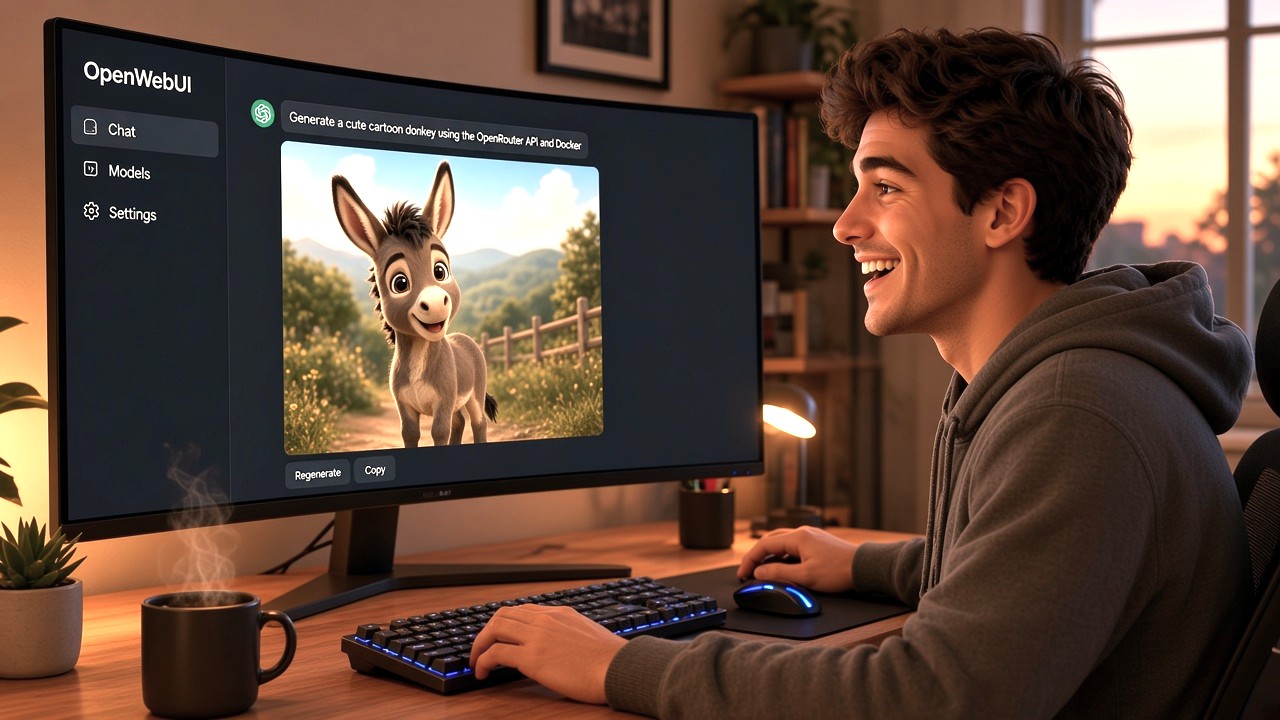
This document outlines the confirmed methodology to bypass the native endpoint mismatch using custom pipe functions, enabling immediate, inline image generation through OpenRouter. The positive result is shown in the screenshot below. And the surprise is that video creation can be achieve by using prompts with models such as MiniMax H3 Max.

1. System architecture constraints and the OpenRouter endpoint mismatch
The fundamental barrier to native integration lies in a hardcoded API path divergence. OpenWebUI’s built-in image configuration panel is designed exclusively around the OpenAI protocol. When an API base URL is provided in the native settings, the application automatically appends the /images/generations endpoint to execute the request.
OpenRouter operates differently. While it perfectly mirrors OpenAI for standard text-based chat completions, its infrastructure handles image generation through a distinct, custom routing architecture. The designated endpoint for generating images via OpenRouter is POST /api/v1/images.
Attempting to force OpenRouter credentials into the default OpenWebUI image fields results in the system directing traffic to a non-existent OpenRouter URL. This architectural mismatch causes the request to drop entirely, generating a 404 error. Because the core application does not currently expose a method to manually edit the appended image endpoint suffix, the native settings interface must be bypassed entirely to achieve integration.
2. Mechanisms of Pipe Functions as a routing solution
To bypass the hardcoded limitations of the native image interface, an intermediary translation layer is required. OpenWebUI’s ‘Functions’ architecture—specifically the Pipe mechanism—provides the exact capability needed. A Pipe operates as a local interceptor, catching outgoing requests from the chat interface and modifying their structure before they are transmitted to an external API.
By employing a custom Python Pipe script, the system treats an image generation request not as a call to the incompatible native image endpoint, but as a heavily formatted payload routed directly to OpenRouter’s supported infrastructure. The Pipe identifies the selected model, translates the user’s text prompt into the specific JSON schema required by OpenRouter, and seamlessly parses the returning image URL back into the OpenWebUI chat window.
The implementation requires the installation of a comprehensive Python script, comprising approximately 7000 words of code and embedded configuration documentation. While a script of this magnitude may initially raise concerns regarding token consumption, prompt pollution, or cache misses, these anxieties are unfounded due to strict code isolation. The script executes entirely locally within the OpenWebUI Docker container. It functions purely as a routing engine and is never appended to the user’s prompt or transmitted to the external model. Consequently, the token payload remains identical to a standard chat request, ensuring zero token wastage. The extensive text visible in the ‘Valves’ configuration menu on creating the ‘Function’ is simply the script’s internal parameter documentation rendered by the OpenWebUI interface, not active data being sent over the network.
3. Deployment methodology and script installation
The deployment of the routing Pipe requires the manual installation of a community-maintained script directly into the OpenWebUI environment. The procedure bypasses the standard function import dialogs in favour of direct code injection via the administrative interface.
To initiate the installation, access the ‘Functions’ tab located in the top menu bar of the OpenWebUI workspace. Initiating a new function creation opens a local code editor pre-populated with baseline template code.
The required translation layer is the open_webui_openrouter_pipe_bundled.py script, sourced from the community-maintained Open-WebUI-OpenRouter-pipe GitHub repository. The raw text of this Python file must be obtained directly from the repository’s latest release assets. Because direct links to release assets trigger automatic file downloads rather than displaying text in a browser, the downloaded .py file must be opened locally in a standard text editor, and its entire contents copied to the clipboard.
Returning to the OpenWebUI interface, the default baseline code within the editor must be completely deleted and replaced with the copied Python script. Activating the ‘Save & Create’ command commits the script to the local Docker container. The system processes the code and registers a new active function, designated as ‘Open WebUI OpenRouter Responses Pipe’, making it immediately available for the final configuration phase.
4. Code isolation, local execution, and token safety
The introduction of a 7000-word script into a chat interface frequently triggers legitimate concerns regarding token economics, specifically the risk of context window pollution and expensive cache misses. In standard LLM operations, large blocks of instructional text or system prompts are continuously transmitted to the provider, inflating costs and increasing latency.
However, the OpenRouter Pipe bypasses this risk entirely through strict code isolation. The extensive text footprint consists primarily of structural Python logic and embedded parameter documentation necessary to generate the ‘Valves’ configuration menu within the OpenWebUI interface. This code executes exclusively on the local host machine—specifically within the OpenWebUI Docker container—and acts solely as a pre-processing router.
At no point is the script’s text appended to the system prompt or injected into the message array. When a generation request is initiated, the local environment processes the prompt, packages it into the correct OpenRouter JSON schema, and securely transmits only the user’s actual text payload alongside the necessary authentication headers. Because the Pipe operates entirely outside the LLM context window, token consumption is strictly limited to the user’s explicit input and the model’s generated output, ensuring optimal cost-efficiency and zero interference with external caching mechanisms.
5. Valve configuration and final deployment
Once the script is saved to the local container, the Pipe must be authenticated with OpenRouter credentials before it can intercept and route traffic. This is managed through the function’s ‘Valves’ settings, accessed via the configuration menu in the main Functions list.
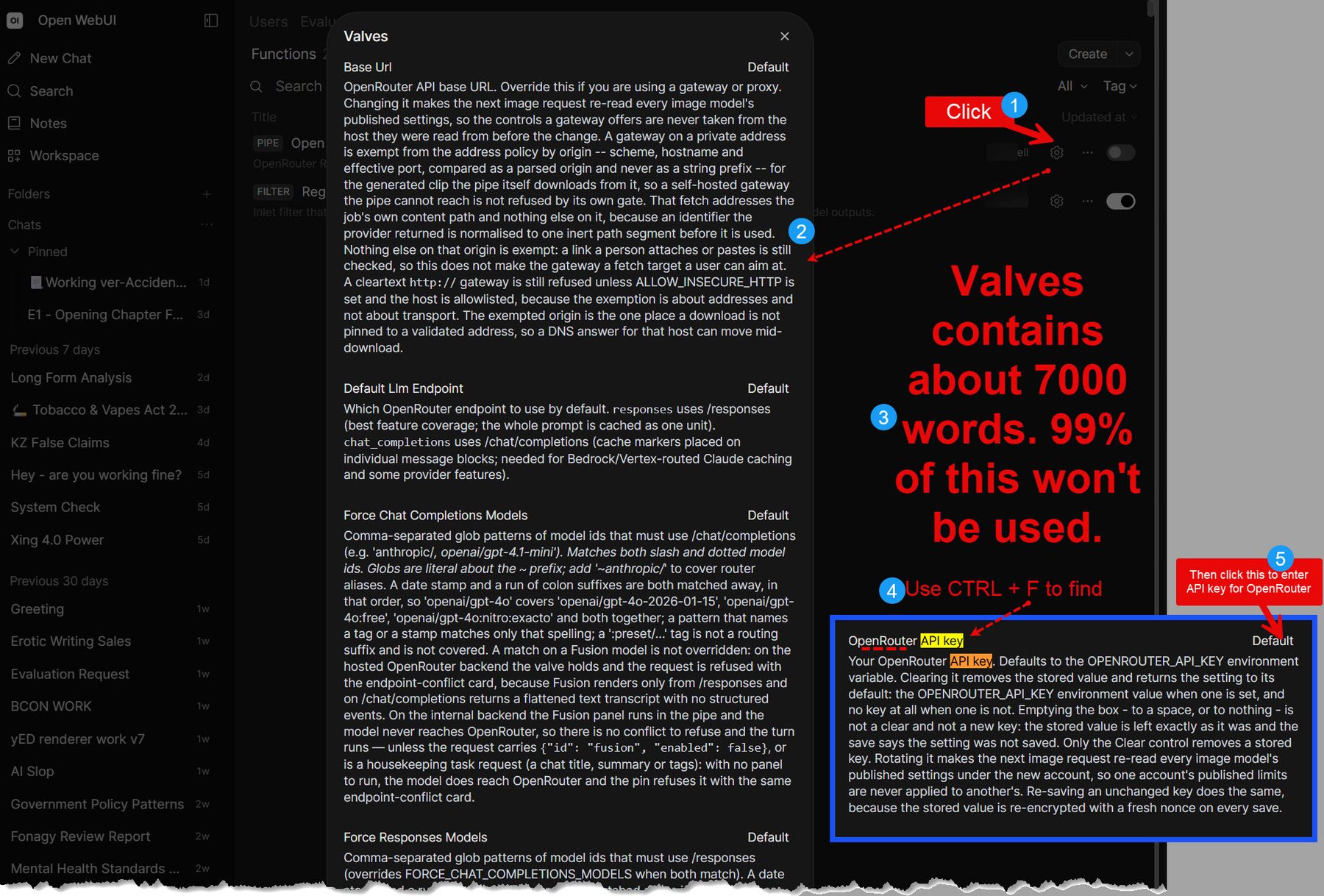
During this stage, a notable interface quirk within OpenWebUI’s dark theme frequently causes confusion. The ‘Valves’ menu renders the script’s extensive internal parameter documentation as what appears to be a static, read-only text document. The actual input fields lack distinct borders and blend entirely into the background, often indicated only by the word “Default” aligned to the right margin. This visual presentation gives the false impression that the configuration cannot be edited. However, clicking directly on the “Default” text or the blank space on the right side of the relevant row activates the hidden text input cursor.
To authenticate the Pipe, it is necessary to scroll past the initial blocks of documentation to locate the specific field designated for the OpenRouter API Key. The secure key is pasted into this borderless field. Then scroll past 7000 or so words to find a ‘save’ button to save the API Key.
Final deployment simply requires activating the Pipe via its master toggle switch on the Functions page. Verification is achieved by opening a standard new chat session. The OpenRouter image models—such as Grok Imagine 2.0—will now populate directly within the native model selector dropdown. Submitting a visual prompt into the chat box triggers the local translation layer, seamlessly executing the generation request and returning the final image inline, completing the integration.
Conclusion
The successful deployment of this function-based routing methodology highlights a significant blind spot in current technical knowledge, demonstrating that this approach remains largely undocumented and unknown even among some frontier AI models like Opus 5.5. On this occasion, Gemini Pro successfully identified, verified, and guided the implementation of the correct architectural workaround, navigating past the initial friction of the endpoint mismatch.
The broader implication of this integration extends beyond the immediate technical achievement. It serves as a stark reminder that absolute reliance on a single AI model for technical validation is a flawed strategy. When faced with authoritative assertions that a specific configuration is impossible, cross-verification and persistent empirical testing remain essential. The ultimate takeaway is definitive: artificial intelligence is fallible, and one should never abandon a technically sound hypothesis simply because a single model confidently declares it unachievable.