





Estimated reading time at 200 wpm: 13 minutes
Most people are familiar with the web interface: you ask a question, it gives an answer, and the conversation ends there. That stuff is what everybody knows and it is mainly ‘Generative AI‘.
Whether or not you agree our Fat Disclaimer applies
Agents and “agentic work” are fundamentally different: you the AI mode a goal, and it plans and executes on its own, operating software, clicking buttons, and running commands until the task is complete.
Goose in application that runs in macOS, Linux and Windows. Goose’s significance lies in bringing this capability, previously found mostly in developer tools, users as a desktop app. This article will focus on W11 users.
According to MIT computer science professor Phillip Isola’s definition, Agentic AI is “AI that takes actions in the world”. These actions can be digital (such as booking a flight, modifying files, sending emails) or physical (such as robotic manipulation). In contrast, the generative AI we usually encounter (writing poetry, drawing pictures, chatting) only “generates content” and does not “take action”.
The core difference between agents and chatbots can be summarised in one sentence: Chatbots respond to individual questions; agents pursue goals through multi-step reasoning and action.
| Dimension | Generative use (chatbot / web interface) | Agentic use (agent, e.g. Goose) |
|---|---|---|
| Core question | “What’s the answer?” | “What needs to happen to get this done?” |
| Unit of interaction | A prompt → a response | A goal → a plan → many actions → a result |
| What the model produces | Content: text, code, images, summaries | Actions: tool calls, file edits, commands, clicks |
| Who executes | The human copies/pastes and does the work | The agent executes; the human supervises |
| Loop structure | Single turn (or short back-and-forth) | Reason → act → observe → adjust, repeated until done |
| Time horizon | Seconds to minutes | Minutes to hours (multi-step, long-running) |
| Access to your system | None — sandboxed in a chat window | Yes — files, terminal, browser, APIs (via tools/MCP) |
| Reversibility of mistakes | Low stakes; you just don’t use the output | High stakes; a wrong command can change or delete things |
| Human role | Author and editor | Delegator and supervisor (approve, review, correct) |
| Failure mode | Wrong or shallow answer | Wrong action taken, or a plausible plan that breaks something |
| Key capability needed | Good language/reasoning model | Good model plus reliable tools and permission controls |
| Typical example | “Explain this error message” | “Find the bug, fix it, run the tests, and commit” |
| Analogy | A consultant who advises | An intern who goes and does it |
How to read this table: the left column is what almost everyone already does through a web interface. The right column is what Goose and similar desktop agents unlock. The rows that matter most for beginners are “who executes,” “access to your system,” and “reversibility of mistakes” — those three explain both the power and the risk of agentic work in one glance.
One caveat worth keeping: this is a spectrum, not a binary. Many products blend the two (e.g. a chat interface that can also call a tool once). The table describes the two ends of the spectrum so the contrast stays sharp.
1. Adopting the Goose
Goose was adopted to enable agentic work by AI models. In agentic work, the model acts rather than simply answers. It reads files, calls tools and works through tasks of several steps. The immediate trigger was a fault in the WordPress MCP connection, which has since been resolved. The measure of success was whether Goose could complete real tasks on a live website accurately. It could. Once the fault was fixed, it ran faster and without errors.
2. What does Goose actually do?
Goose supplies the hands, while the model supplies the brain. Goose runs locally as a Windows desktop application. It is free and open source, released under the Apache 2.0 licence. Governance now sits with the Agentic AI Foundation at the Linux Foundation. The model is reached through OpenRouter using an API key, and charges are made per use. Goose itself carries no cost.
Extensions give Goose its tools. They let it read files, run commands and connect to services such as WordPress. A task runs as a loop. Goose passes the request and its available tools to the model. The model decides on an action, and Goose carries it out. The result returns to the model, which decides the next step. The loop continues until the task is complete.
One distinction matters throughout. Goose fetches material, but the model reads it and makes the decisions. Any file Goose opens enters the model’s memory in full.
3. Models
The choice of model largely decides how capable the agent is. Agentic work needs a model that handles tools reliably across many steps.
DeepSeek V4.1 Flash serves well as the everyday model. It sits in the upper tier for agentic tasks and costs very little. In testing, it handled WordPress tasks accurately. It failed, however, when given images. Claude Sonnet 5.5 succeeded with the same images. It ranked first on one agentic benchmark in November 2026, but it costs considerably more.
The configured model name, ~deepseek/deepseek-v4-flash-latest, is an alias that follows DeepSeek’s latest release. It may route to a provider without image support, though this remains unconfirmed. A dated snapshot, deepseek/deepseek-v4.1-flash-1017, is also available.
The working rule is simple. Flash is the default. Sonnet 5.5 is used for images, or when Flash stalls on a long task. OpenRouter’s activity page shows the cost of each. Published benchmarks often disagree and do not predict performance on specific tasks. Direct testing is the more reliable guide.
Extending Goose
4. Extensions
Extensions supply the tools Goose can use. Some are built in, while others are added, such as the WordPress connector. All are managed from Extensions in the sidebar, where each has an on/off switch.
Four built-in extensions are on by default. Developer reads and writes files and runs commands on the PC. It is what makes Goose agentic, and it carries the most risk. Extension Manager lets Goose switch other extensions on and off during a task. Summon loads skills and recipes, and hands subtasks to helper agents. Todo keeps task lists, so Goose can plan and track work of several steps.
Several more are off by default. Computer Controller reads Word, PDF and Excel files, takes screenshots and automates tasks. Memory stores preferences across chats. Top of Mind injects standing instructions into every turn. Chat Recall searches past conversations. Tutorial offers interactive lessons on Goose itself.
Each active extension adds its tool descriptions to every request, and so uses memory. Extensions are best switched on when a task needs them, one at a time, and tested before the next is added.
5. Top of Mind
Top of Mind is the nearest equivalent to a system prompt in OpenWebUI. It injects fixed instructions into the model’s memory on every turn. A system prompt can fade from attention as a chat grows. Top of Mind stays fresh because it is repeated each time.
The instructions sit in a plain text file, goose-rules.md, stored in D:\APPLICATIONS\GOOSE\userdata. A Windows environment variable tells Goose where to find it. The variable is GOOSE_MOIM_MESSAGE_FILE, and its value is the file’s full path. It is set under Edit environment variables for your account, in the User variables list. The extension is then switched on in Goose.
The file holds standing rules on language, honesty, working method, the websites and the computer. Goose reads it fresh on every turn. Edits therefore take effect on the next message, with no restart needed. Each line costs a little on every turn, so the file should stay concise. The test is to ask Goose which standing rules it is following. In testing, it listed them in full.
6. Skills
A skill is a set of written instructions for a recurring task. Each skill lives in its own folder, and each folder holds one file named SKILL.md. Supporting files, such as checklists or templates, can sit beside it. Any number of skills can exist side by side.
Global skills are stored in C:\Users\XX3\.agents\skills\. The .agents folder begins with a dot, and it sits on the C drive. No environment variable is needed, as Goose looks there by default. The Summon extension handles skills, and it is on by default. The same skill format works in Claude Desktop.
Each SKILL.md opens with a short header between two lines of three dashes. The header gives the skill’s name and a one-line description. The name should match the folder name, in lower case with hyphens. The instructions follow below, written as clear, numbered steps.
At the start of each chat, Goose reads every skill’s description. It loads the full skill when a request names it or matches its description. The description therefore does the real work, and it should state plainly what the skill does and when to use it. Files must be saved with the type set to All files, or Notepad adds .txt. Goose must be restarted to discover a new skill.
Working with Content
7. Working with documents
Each Goose chat has a working folder, and Goose can open any file placed there. The Developer extension reads plain text and Markdown files. Computer Controller is needed for Word, PDF and Excel files. Nothing else is required. The files go in the folder, and the prompt names them.
Goose differs from OpenWebUI’s Knowledge feature in one important way. Knowledge stores documents and retrieves only the passages that match a question. Goose passes each file to the model whole. The model therefore sees a document in full and in order. This suits close editing, such as checking continuity, pacing and voice across chapters. Knowledge remains better for searching a large library.
Whole-file reading has costs. Every file enters the model’s memory and travels with each later message. Large documents fill the memory quickly and bring compaction closer. Each message also costs more as the chat grows. A few chapters per chat is the sensible working size.
Three precautions apply. Changes should be written to a new file, so the original stays untouched. Scanned PDFs hold images of pages, not text, so they must first be converted with an OCR tool. PDFs in general are best treated as read-only sources, with edits made to the original Word or text file. Whether Goose can write changes cleanly back into a Word file is untested. It should be tried on a copy first.
8. Images
Image work depends on both Goose and the model. Goose accepts images pasted directly into the message box with Ctrl + V. With Computer Controller switched on, it can also take and examine screenshots.
The model must be able to see images. In testing, DeepSeek V4.1 Flash failed to process a pasted image, despite listings stating it accepts images. Claude Sonnet 5.5 handled the same image well. The cause of the Flash failure is unconfirmed. The model alias in use may route to a provider without image support.
The models in use read and describe images but do not create them, as their output is text only. The working rule is to switch to Sonnet 5.5 whenever a task involves an image.
9. Context and compaction
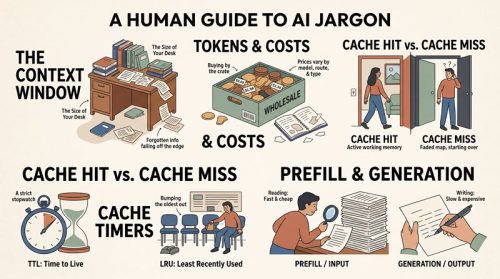
Every chat has a memory limit, known as the context window. When a chat grows close to it, Goose compacts the conversation. Older messages are summarised and the originals archived. The chat continues, but early detail survives only in summary form. Compaction is a safeguard, not an error, and it does not affect connected websites.
Two settings govern when compaction starts. The first is a percentage of the model’s context window, 80% by default. The second is a fixed token cap, 225,000 by default. Goose compacts at whichever comes first. With DeepSeek V4.1 Flash, the window is one million tokens. The 225,000 cap therefore triggered compaction long before the window was near full.
Goose’s context meter, at the foot of the chat, confirmed the one-million window as 1M. Raising the cap with GOOSE_AUTO_COMPACT_TOKEN_LIMIT to 800,000 moves compaction close to the 80% mark. An earlier change to GOOSE_CONTEXT_LIMIT proved unnecessary, as Goose already knew the correct window. It does no harm.
A larger memory has trade-offs. Each message resends the whole chat, so long chats cost more per message. Models also tend to lose sharpness late in very long chats. Large tool results fill memory fastest. A single request for all posts adds roughly 90 KB of text. Good practice is one chat per task, and requests for only the data a task needs.
10. Environment variables set
All variables are set in Windows, not in Goose’s own files. They are found under Start, then Edit environment variables for your account, in the User variables list. Goose must be fully closed and reopened after any change.
| Variable | Value | Purpose | Status |
|---|---|---|---|
GOOSE_PATH_ROOT | D:\APPLICATIONS\GOOSE\userdata | Moves Goose’s data folder to drive D | Set before this work |
GOOSE_CONTEXT_LIMIT | 1000000 | Overrides the model’s context window | Set; redundant but harmless |
GOOSE_AUTO_COMPACT_TOKEN_LIMIT | 800000 | Raises the compaction cap from 225,000 | To confirm |
GOOSE_MOIM_MESSAGE_FILE | D:\APPLICATIONS\GOOSE\userdata\goose-rules.md | Points Top of Mind at the rules file | Set and tested |
11. Housekeeping
Chats are deleted from Session History in the sidebar. Hovering the mouse over a chat card reveals a row of small icons along its bottom edge. The red bin icon deletes the chat, after a confirmation. Deletion is permanent, and chats must be deleted one at a time. Right-clicking does nothing, and the chat list in the sidebar shows no delete option.
The official documentation describes an older layout, so it did not match the app. Where the documentation and the screen disagree, the screen is the authority.
Three habits keep Goose tidy. Start a new chat for each task. Delete test chats once their results are recorded. Restart Goose after changing any environment variable, extension or skill.
Practice and Outlook
12. Safety rules
Goose can change files, run commands and edit live websites. Its power is also its risk, so a small set of standing rules applies. These rules sit in the Top of Mind file and are injected on every turn.
On the websites, nothing is published, deleted or changed without explicit approval for that specific change. New content is saved as drafts only. Before any change, Goose shows exactly what will change. Requests for posts ask only for what the task needs.
On the computer, Goose does not delete files and asks before any action that cannot be undone. Edits to documents are written to new files, so originals stay untouched. Goose’s config.yaml is never edited by hand. Settings are changed through the Goose interface or through Windows environment variables.
New tasks begin read-only. Prompts open with an instruction to change nothing until Goose’s behaviour on that task is trusted. Only then do approved changes follow. Site credentials are never given to unverified third-party software.
13. Lessons learnt
The first lesson concerns evidence. Several wrong turns came from reasoning ahead of what had been checked. A diagnosis of “working correctly” was given before results were compared with wp-admin. The fault lay in the server file all along. Checking the actual output against a trusted source settles most questions quickly.
The second lesson concerns documentation. Goose’s official pages lagged behind the app, most clearly on deleting chats. Where documentation and screen disagree, the screen wins. Observing the app directly resolved what reading could not.
The third lesson concerns layers. A fault can sit in the app, the connector, the server or the model. Goose itself was blameless in the WordPress problem. The image failure lay with the model, not Goose. Locating the right layer before changing anything saves time and avoids new faults.
The fourth lesson concerns method. Whole-file replacement is safer than line-by-line edits. Changes are best tested on copies. One change at a time, then a test, keeps any fault easy to trace.
PROVISIONAL ROMANTIC AGE-GAP COMPLIANCE AND CONSENT AGREEMENT
Captain Walker